
Invoicing
Invoice Management
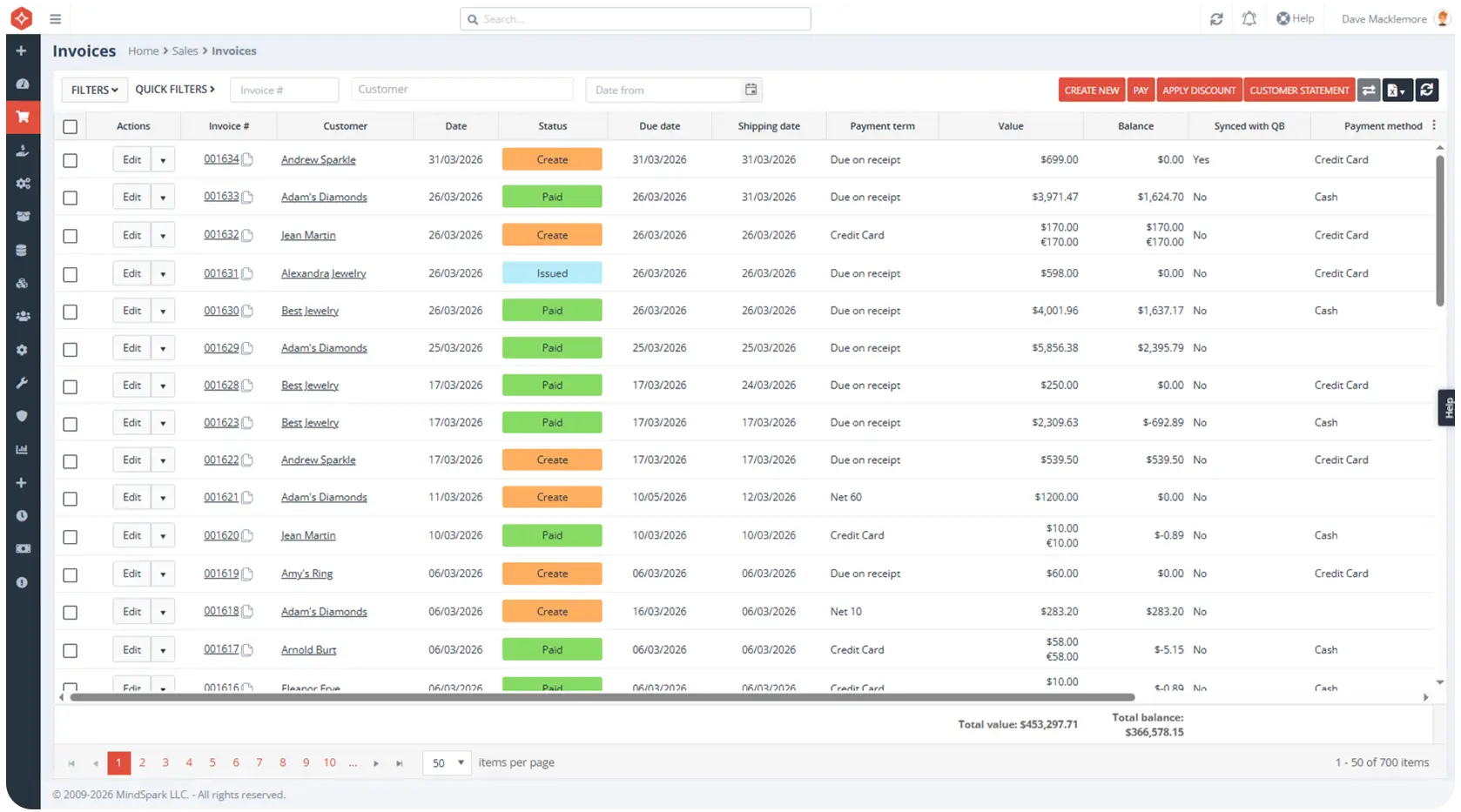
Create jewelry invoices, credits, payments, and balances directly from your PIRO workflows. PIRO Fusion keeps billing connected to sales orders, job orders, customer records, and accounting sync - so your team can invoice faster without double entry.
- Invoicing
- PIRO Fusion module
- Cloud-based, anywhere
Benefits
What invoice management does for your business
Connected invoice creation
Generate invoices from Sales Orders, Job Orders, POS sales, repairs, or finished item sales without re-entering order details.
Deposits and partial payments
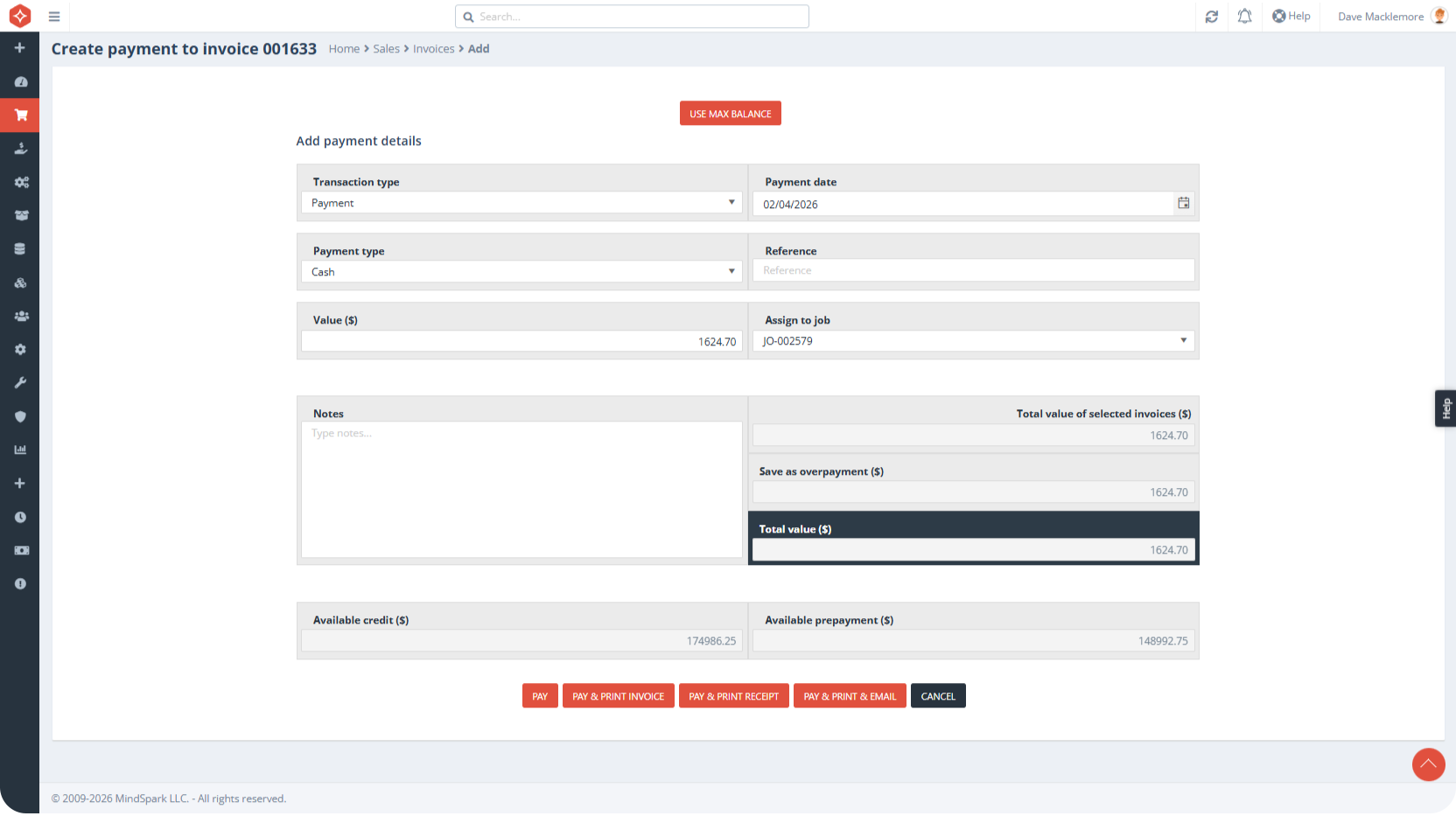
Record deposits, partial payments, credits, overpayments, refunds, and remaining balances against the right customer or invoice.
Customer balance visibility
From the customer record, see what has been invoiced, paid, credited, or refunded and what is still outstanding.
Operational billing control
Keep invoices tied to the original jewelry workflow, including items, services, taxes, payment terms, and customer details.
Accounting sync ready
Map invoices, payments, credit memos, refunds, customers, and item types to QuickBooks through the QuickBooks Bridge.
Use case
A custom ring is completed and ready for pickup. PIRO Fusion creates the invoice from the original order, applies the customer’s deposit, shows the remaining balance, records the final payment, and keeps the invoice ready for QuickBooks sync.
Related features
More in Invoicing
Payment Collections
Track open balances and collect payments without chasing information across systems. PIRO Fusion keeps invoices, credits, payments, customer balances, and online payment options connected so your team always knows what is paid, what is due, and what needs follow-up.
Learn more
QuickBooks and Xero Integration
Keep your jewelry operations in PIRO and your books in sync. PIRO Fusion connects invoices, payments, credits, refunds, customers, taxes, and item data with accounting platforms like QuickBooks and Xero - reducing double entry and manual cleanup.
Learn moreTax Calculation
Apply the right sales tax logic to invoices, payments, and accounting sync. PIRO Fusion helps your team keep taxes connected to customers, locations, items, sales channels, and accounting rules - so invoices are cleaner before they reach QuickBooks or Xero.
Learn moreSee invoice management in your own workflow
Book a free consultation and we'll walk you through it with your products, your team and your numbers.